
miniPaint
Edit images in your browser with layers, drawing tools and filters. Includes sample artwork and PNG, JPEG and WebP export.
miniPaint + Wasmer
Host miniPaint, a browser image editor with layers, drawing tools, filters, and PNG/JPEG/WebP export, on Wasmer Edge. Local image editing and export need no account, database, server-side storage, or API key.
Demo
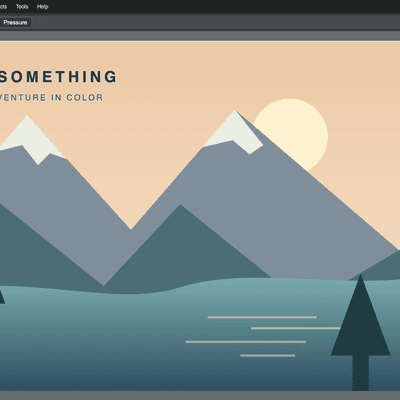
Try the live editor with sample artwork, then deploy your own copy. Use File → Open to choose an image from your device.
How it Works
UPSTREAM.jsonpins miniPaint 4.14.3 to commita79733eand a SHA-256 archive checksum.npm run buildverifies and extracts that archive, installs its locked dependencies withnpm ci --include=dev --ignore-scripts, and runs the upstream production build. Node.js 22 or newer, npm,tar, and network access to GitHub/npm are required at build time.- Upstream locks
hermite-resizeto commitfae5329through Git. The recipe downloads and verifies that commit's HTTPS archive into the temporary build'svendor/directory, changes its npm dependency to a local tarball, and updates both package and lock metadata. Archive and installed entry-point hashes preserve the exact dependency code, while npm keeps Git and remote URL dependencies disabled. - The deployable
site/contains the original rootindex.html,dist/,images/, the GIF export worker at its original URL, the MIT license, and the sample artwork. Servingdist/alone does not include the editor page or icons. - The
Anybuildfile builds with Node.js 24 and servessite/as static files. No JavaScript server runs in production. - The upstream interface, controls, styles, and notices are preserved. The MIT license and
UPSTREAM.jsonare also included in the served output.
Running Locally
npm ci
npm run build
python3 -m http.server 18123 --bind 127.0.0.1 --directory site
Open the editor or the sample artwork. Python is only a local preview option; Wasmer uses its static web server.
With the server running, verify the packaged page, assets, and license:
npm run check -- http://127.0.0.1:18123
Editing happens in your browser. Export your work before clearing browser data. Optional upstream features such as remote images, online media search, and Google Fonts still depend on external services; they are not required for local image editing.
Deploying to Wasmer
Install Anybuild and the Wasmer CLI, then log in with wasmer login.
From this directory:
anybuild build . --wasmer
anybuild deploy .
When importing this repository through Wasmer's GitHub flow, select js-minipaint as the application root. Keep both the example's Anybuild file and the repository-root Anybuild.js-minipaint loader: Anybuild 0.26.4 uses the latter for monorepo builds with --subdir js-minipaint.
To check that monorepo configuration from the repository root:
anybuild plan . --subdir js-minipaint --wasmer
License and Upstream
miniPaint is copyright ViliusL and distributed under the MIT license. The build copies that license and the generated bundle's third-party notices without modifying them. This template's build recipe and sample artwork are also MIT-licensed.