
drawDB
Design database diagrams visually and export SQL. Import a schema, connect tables and keep diagrams in your browser.
drawDB + Wasmer
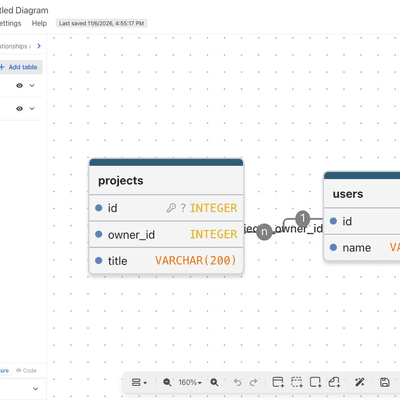
Deploy drawDB, a browser-based database diagram editor and SQL generator, as a reusable Wasmer static-site template. The editor runs without an account, database, or API key.
Demo
Open the live drawDB editor, or deploy this template to obtain your own independent app URL.
How it Works
upstream.jsonpins drawDB to commitb05ea9875d5eba473661c7f17837804190839853and an archive SHA-256 checksum.npm run builddownloads and verifies that source, installs its locked dependencies, and compiles the unmodified upstream UI intodist/.Anybuildloadswasmer.bzl, which selects a Node static build and serves only generated files on Wasmer. The application needs no Node server at runtime. The repository-rootAnybuild.js-drawdbsupports monorepo imports that selectjs-drawdbas their root directory.- Diagrams are stored in the visitor's browser. This template does not configure the optional sharing server. Export important diagrams before clearing browser storage.
Upstream layout limits
Desktop is recommended for diagram editing. On tablet and phone viewports, the upstream sidebar takes much of the available width and the canvas may need panning or zooming. Hide it with View → Sidebar, then open the zoom percentage menu and choose Fit window / Reset to bring the graph into view. This template preserves the upstream layout, controls and styles.
Running Locally
Requirements: Node.js 24.16.0 or newer, npm, tar, and network access to
GitHub and the npm registry. The upstream production build allows a 4 GB
Node heap; build resources must accommodate it.
cd js-drawdb
npm ci
npm run build
npm run preview
Open http://localhost:18121. The local preview supports the editor's
client-side routes. Set PORT to use a different port.
Deploying to Wasmer
For a GitHub import, select this repository and use js-drawdb as the root
directory. Keep the checked-in Anybuild definition. The resulting static
directory is dist/; no secrets or database are required.
From this directory, the equivalent Anybuild CLI flow is:
anybuild plan .
anybuild . --wasmer-deploy
Anybuild prompts for the application owner and name when they are not set. To build a Wasmer package without publishing, use:
anybuild . --wasmer --wasmer-deploy-config deploy.json
The recipe uses Node 24.16.0 for compilation. Anybuild 0.26.4 maps its
static-web-server 2.38.0 setting to the Wasmer package
wasmer/static-web-server@1.1.0 (which reports server version 2.32.2).
The checked-in recipe configures route rewrites for direct editor links
without relying on an optional fallback feature in that Wasmer package.
Source, License, and Updates
drawDB and this template are distributed under AGPL-3.0-only; the full upstream license is preserved in LICENSE. Keep the original copyright notices and provide corresponding source when distributing or modifying the application under that license.
Every build publishes the exact upstream source archive, the template's
build recipe, and source information beneath /source/. Open
/source/README.txt for download paths; /LICENSE contains the license.
The application UI and its existing upstream attribution are unchanged.
To update drawDB, review an upstream commit, download its archive, verify
its checksum, then update both the commit and checksum in upstream.json.
Build and verify the editor, SQL import/export, local persistence, routes,
and /source/ before publishing. The build rejects a mismatched archive.
