


Despliega 1000+ apps y plantillas en un clic
Recetas listas para Wasmer.
/
Recetas listas para Wasmer.

Convert Markdown, HTML, LaTeX and more with Pandoc behind a FastAPI web form and REST API.
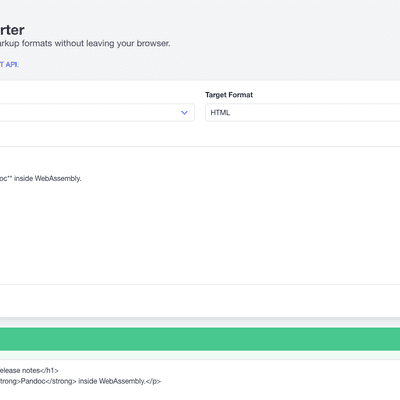
This example shows how to wrap Pandoc via pypandoc inside a FastAPI app and deploy it to Wasmer Edge.
https://pandoc-converter-template.wasmer.app/
src/main.py exposes both an HTMX-powered form and REST endpoints:
SUPPORTED_FORMATS lists common markup types (Markdown, reStructuredText, HTML, LaTeX, MediaWiki, DocBook, Org)./ route renders a Bulma-styled form with HTMX attributes so conversions happen without a full page reload./api/hx/convert handles HTMX submissions. It offloads pypandoc.convert_text(...) to a background thread via asyncio.to_thread and returns either a success or error message fragment./api/pandoc-convert (GET or POST) provides a REST interface that responds with plain text, making automation simple.python -m venv .venv
source .venv/bin/activate
pip install fastapi uvicorn pypandoc
# install the pandoc binary if you don't already have it (brew install pandoc, apt install pandoc, etc.)
uvicorn src.main:app --host 0.0.0.0 --port 8000 --reload
Open http://127.0.0.1:8000/ to use the form, or call the API directly:
curl -X POST "http://127.0.0.1:8000/api/pandoc-convert?from=markdown&to=rst" \
  -F 'text=# Hello **world**'
src/main.py, your dependency metadata, and the Pandoc binary (or configure Wasmer packages to provide it).uvicorn src.main:app --host 0.0.0.0 --port $PORT).https://<your-subdomain>.wasmer.app/ to convert documents in the browser or via API.